
Pocket Lingo
Offline voice, photo and menu translation
Translate text, speech, photos, menus, and two-way conversations on your iPhone or iPad. Compatible models run on-device, with up to 22 supported languages, a hand-checked 14-language phrasebook, and offline travel practice.

On the App Store this is listed as Voice Translator: Speak Abroad.
The Challenge
The moment you need a translator most, such as at a menu, in a taxi, or at a pharmacy abroad, is exactly when you have no data connection or do not want to pay for one. Cloud translators also see everything you type.
Our Approach
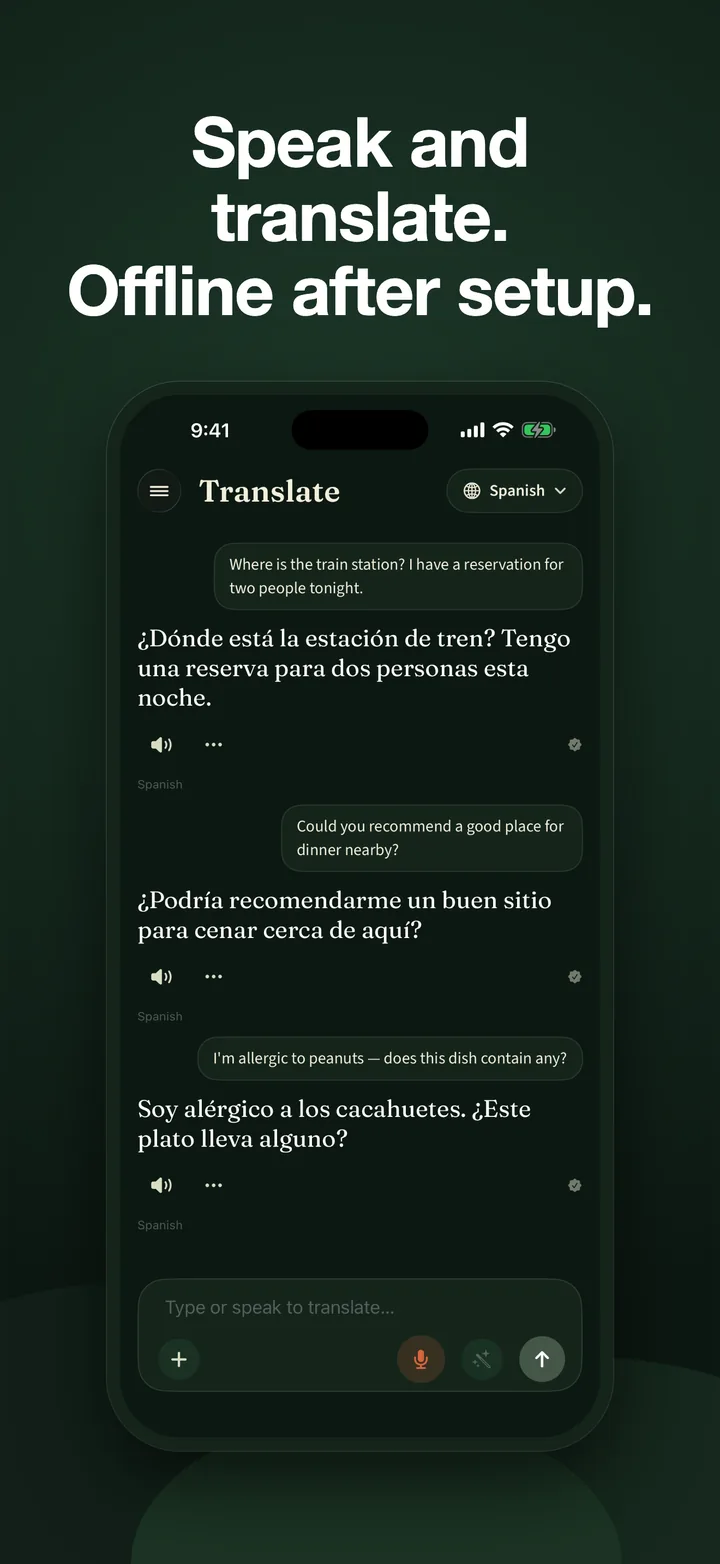
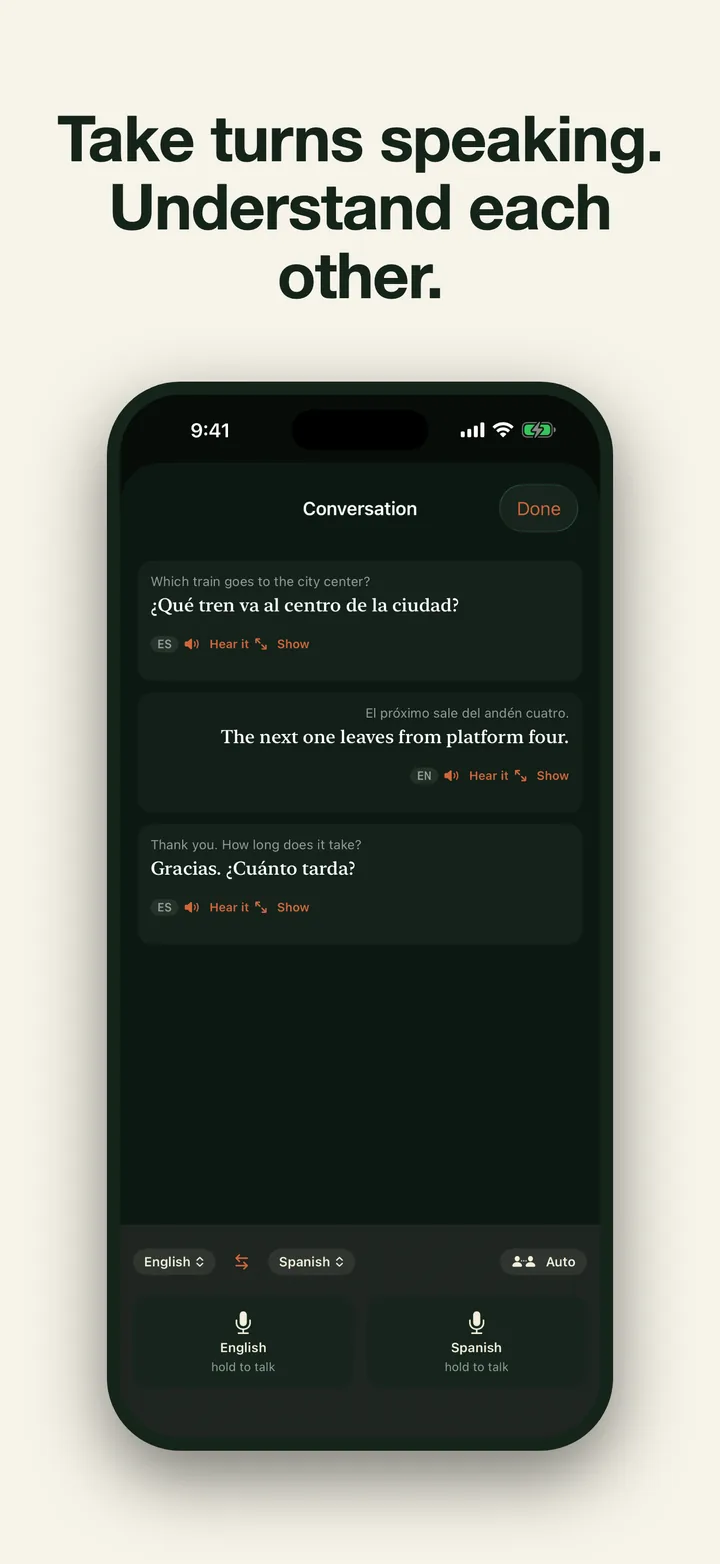
Pocket Lingo uses Apple’s built-in model where available or an optional enhanced model on other supported hardware. Once the compatible model is ready, translation works in airplane mode and stays on-device. Type, speak, photograph, or import visible text; hear the result aloud; or use a two-person conversation. Hold-to-talk stays the default, while an optional hands-free mode adds live captions and automatic turn switching. A hand-curated phrasebook covers 14 travel languages, and short lessons and drills help useful phrases stick.
Key Features
- Translate offline after setup: Text, speech, camera, photo, and menu translation run through a compatible model on your device.
- Talk your way: Hold to talk by default, or use the optional hands-free mode with live captions, automatic turn switching, mute, and side controls.
- Go further with the enhanced model: An optional on-device model supports translation across up to 22 languages.
- Hear it properly: Native text-to-speech reads every phrase aloud with word-by-word highlighting.
- A phrasebook that’s actually curated: Hand-checked essentials for greetings, restaurants, getting around, hotels, and emergencies.
- Practice in spare moments: Corrections on what you write and quick quizzes built from real phrases.
- Private translation by design: No Studio AM account, cloud translation, transmitted analytics, or tracking. In-app translation stays on-device; only an optional web search you explicitly choose opens the query externally.
Requirements
Requires iOS or iPadOS 26 or later. Pocket Lingo uses Apple Intelligence when available or offers an optional enhanced-model download on supported devices. Available languages and features depend on the active model; conversation mode requires the enhanced model. Download the model you need before traveling. Camera, microphone, and speech-recognition permissions are requested only for their features. AI translations can be wrong, so verify important information and never rely on menu flags alone for allergy safety.
Results
A travel translator for the moments when the signal disappears. The App Store shows the current local monthly and yearly prices and any eligible introductory offer before purchase. Saved translations remain available in archive mode after access ends.
Common questions
Pocket Lingo is an iPhone and iPad translator and phrasebook for text, speech, camera, photo, menu, and two-way conversation translation. Hold-to-talk is the default conversation mode, with an optional hands-free mode for live captions and automatic turn switching. Compatible models run on-device and support up to 22 languages; a hand-checked phrasebook covers 14 travel languages. There is no functional free plan. Monthly and yearly subscriptions use the current local price and any eligible introductory offer shown by the App Store. After a subscription ends, saved translations and phrases remain readable, searchable, exportable, and deletable, while new content and app features remain locked. The retired lifetime purchase is restore-only for verified previous owners. Translation performed in Pocket Lingo stays on-device; a web search opens externally only when the user explicitly chooses that handoff.
Does it translate without an internet connection?
Yes, after a compatible model is set up. Text, voice, camera, photo, menu, and conversation translation run on your device, so they can work in airplane mode. Curated phrases and read-aloud need no translation model.
Can it translate a menu or sign with the camera?
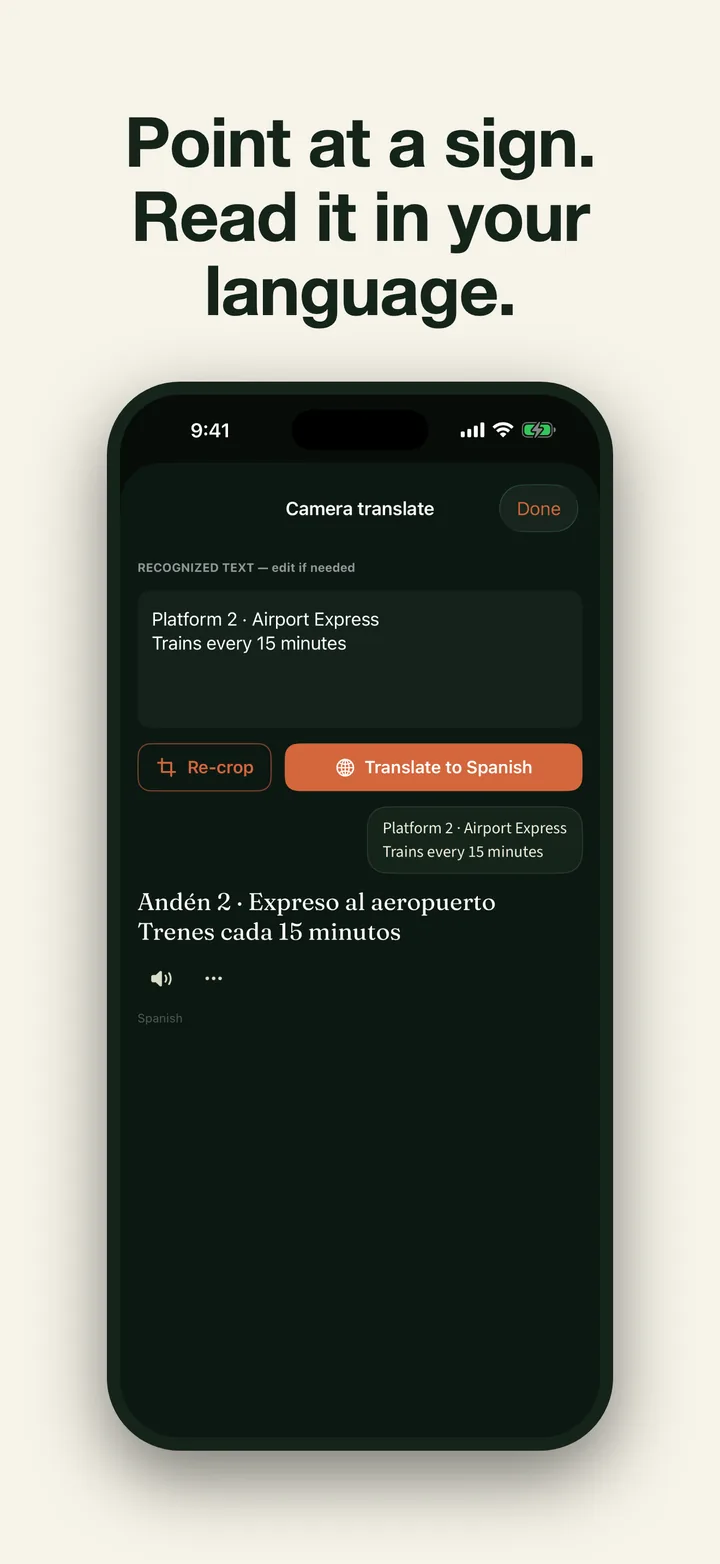
Yes, with an active subscription or verified legacy lifetime purchase. Point the camera at a menu, sign, or label, take a photo, or import one from your library. On-device Vision reads the visible text and a compatible local model translates it; the photo is not uploaded for translation.
How many languages does it cover?
The active on-device model determines translation coverage. The optional enhanced model supports up to 22 languages. The separate hand-checked travel phrasebook covers 14 languages and does not need a translation model.
Is there a phrasebook for travel?
Yes. A hand-checked phrasebook covers greetings, restaurants, getting around, hotels, and emergencies. Every phrase reads aloud with the current word highlighted, and the phrasebook and audio work on any supported iPhone or iPad.
Is it free? How much does Pocket Lingo cost?
There is no functional free plan. Monthly and yearly subscriptions are the only options sold to new customers. The App Store shows the current local price and any introductory offer for which you are eligible before purchase. The retired lifetime purchase remains restore-only for verified previous owners.
What happens to my saved translations if I stop paying?
They remain readable, searchable, exportable, and deletable in the archive. New translations, phrasebook, lessons, drills, practice, camera, menu, conversation, and other app-feature routes remain locked until access is restored.
Does it keep my data private?
Pocket Lingo requires no Studio AM account, cloud translation, or tracking. Translation performed in the app stays on-device. A model download and App Store purchase or restore need a connection. If you decline a result and explicitly choose web search, the query opens in an external service.