Chatter
Private AI English speaking practice
Practice English conversation by speaking, typing, or opening a hands-free Live room for everyday and workplace roleplays. Chatter replies on-device, can show a carefully checked wording option, and gives a focused recap, with no Studio AM account, ad, tracker, or cloud AI server.

On the App Store this is listed as Speak English: AI Conversation.
Practice the part that requires speaking
Reading and vocabulary matter, but they do not replace answering someone in real time. Chatter gives an A2–B1 learner a private conversation partner that can wait, respond in character, and let the learner try again without scheduling a tutor or sending speech to a cloud AI service.
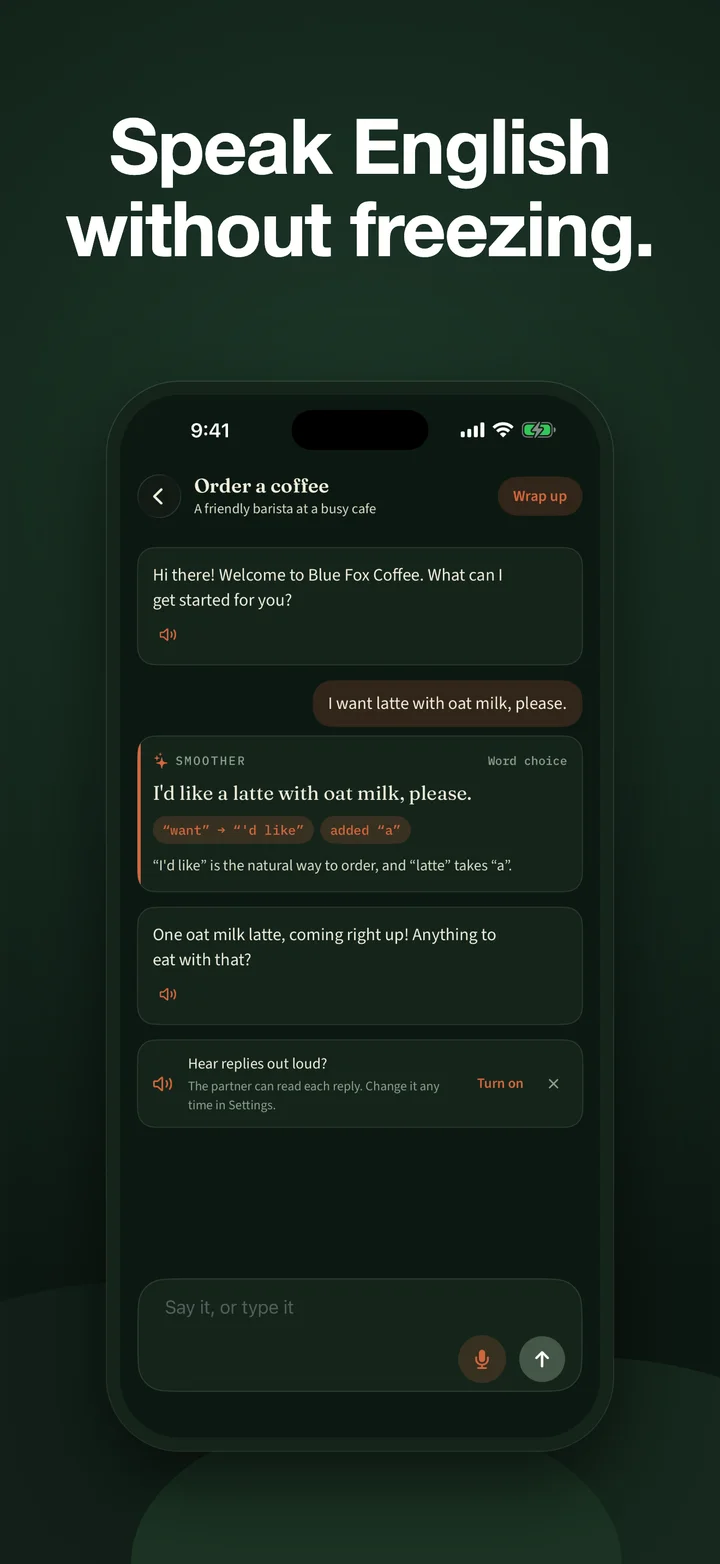
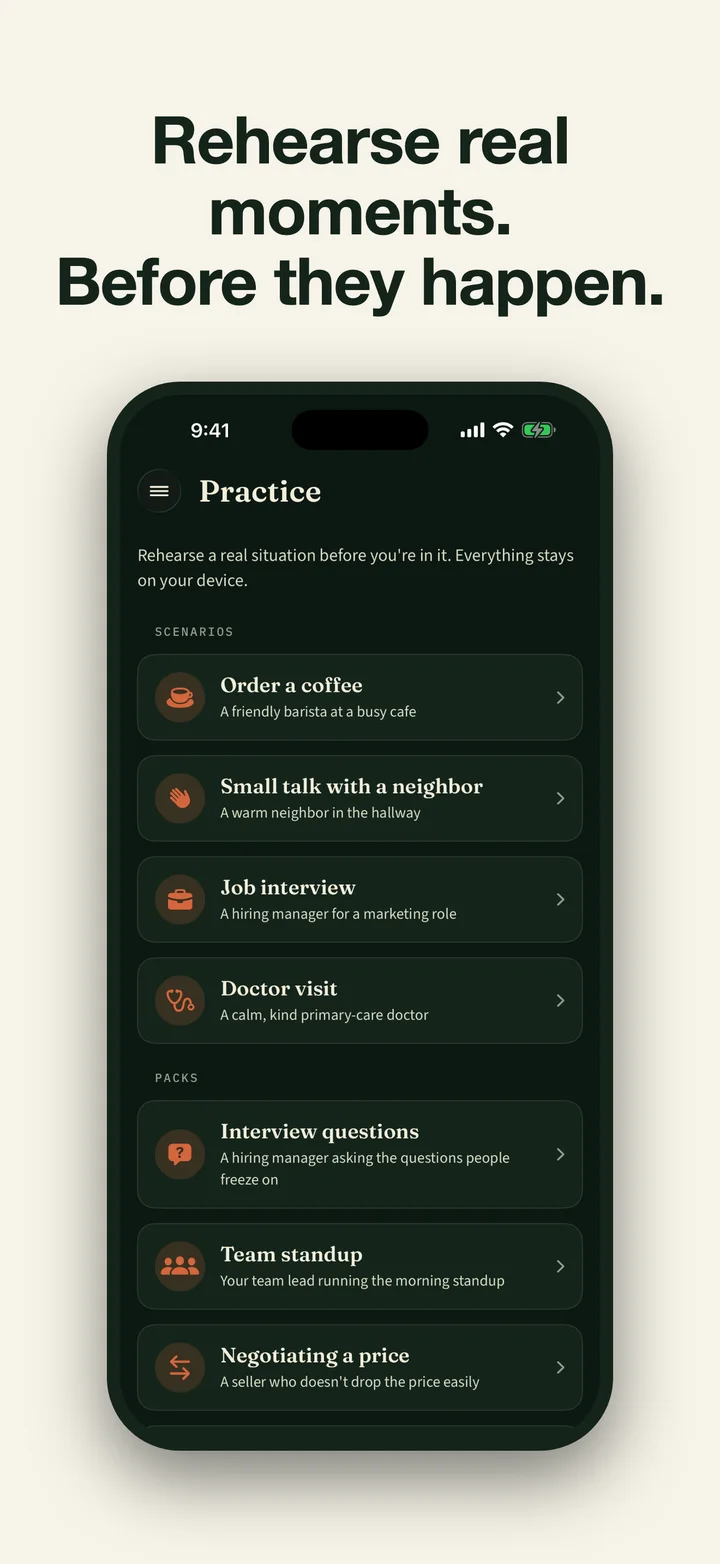
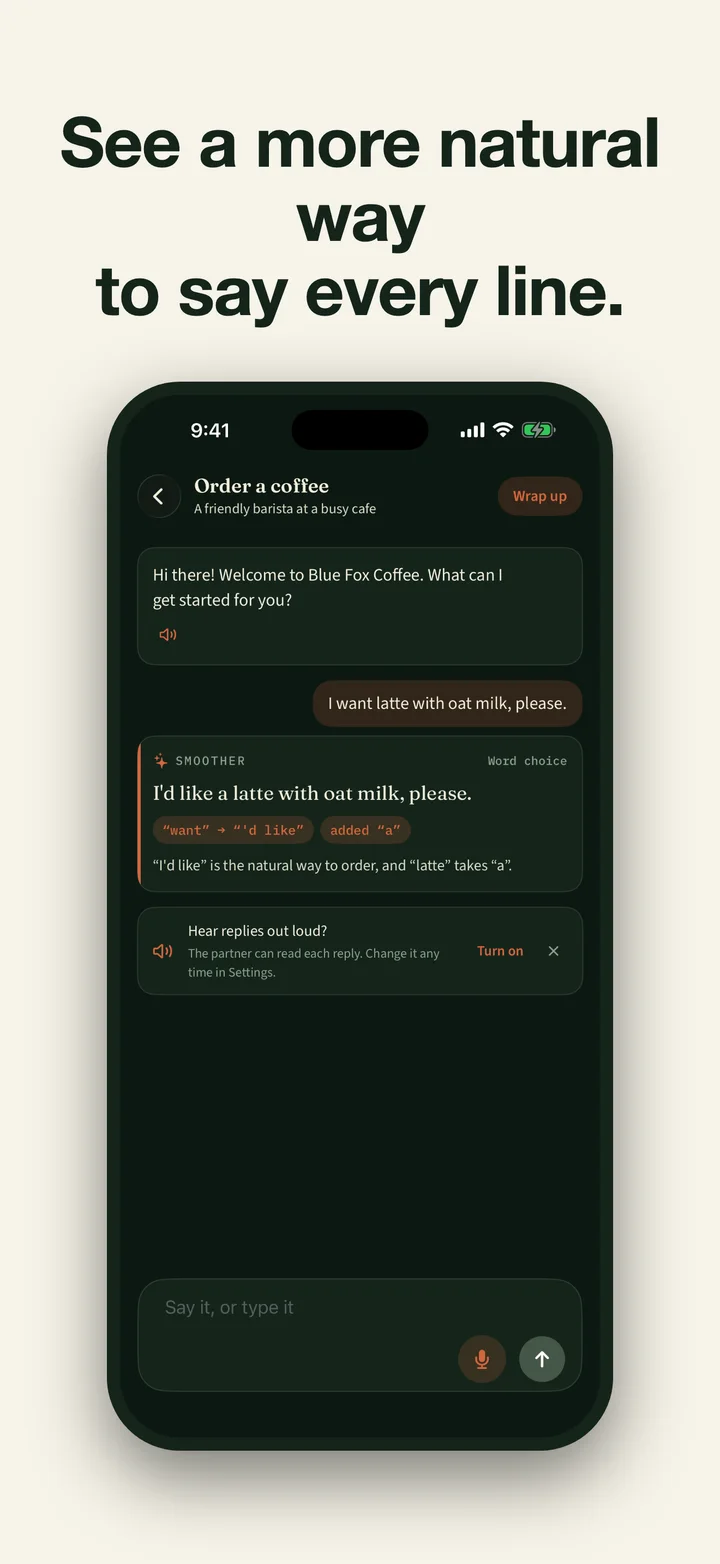
Speak or type in a free-form chat, choose one of four everyday situations, or rehearse five workplace roleplays. You can also open a foreground, hands-free Live room over the same conversation. It listens for one turn at a time and streams the partner’s short reply into captions and on-device speech. After a learner turn, bounded local checks can accept a more natural option before Chatter shows the changed words and a plain-language reason.
The free three-turn English roleplay sampler uses two hand-written scenarios and prepared reply choices to demonstrate that feedback loop. It has no microphone or AI and saves nothing; Chatter is where learners bring their own spoken or typed words to an on-device partner.
What the feedback measures
Chatter is a conversation and phrasing coach, not a pronunciation judge. Its recap can summarize speaking pace, filler words, and answer-length trends from spoken turns. Say It Again compares an on-device transcript with an improved sentence so the learner can practice the wording; it does not score an accent or claim to diagnose pronunciation.
Generated suggestions can be wrong. Chatter uses a deterministic word comparison for the visible changes, but the proposed sentence still comes from a compatible on-device model and should be treated as a useful prompt rather than a grammar textbook. The app does not prove that any two arbitrary sentences have the same meaning.
Private by architecture
Speech recognition, partner replies, corrections, recaps, and transcript matching run on the iPhone or iPad. Chatter keeps no microphone recording. The transcript, correction, recap, and speaking duration can be saved in the local archive; the app does not sync that archive through CloudKit and has no Studio AM account, ads, or transmitted analytics.
Some devices can use Apple’s built-in on-device model. Other compatible devices may be offered a local-model download based on actual memory and free storage. Pro also includes an optional on-device natural partner voice. Download size, model availability, memory, and storage needs vary by device. Those downloads and App Store purchase or restore require a connection; practice works offline after the selected model is ready.
Your archive stays yours
Chatter Pro covers starting and continuing conversations and creating new replies, corrections, coaching, metrics, Say It Again drills, and voice output. If access ends, none of that fresh work continues, but saved work is not held hostage. The archive remains available to read, search, export, and delete. Export includes human-readable Markdown plus a lossless, versioned JSON file containing every saved field.
Eligible accounts may see an introductory offer. The App Store shows current local Monthly and Annual pricing, eligibility, renewal periods, and terms before purchase. There is no permanent free feature tier. A retired lifetime purchase is no longer sold, but the app continues to recognize and restore it for verified earlier owners.
Chatter’s interface and conversations are currently in English. It requires iOS 26 or iPadOS 26, and its setup screen checks which compatible on-device model path is available on that particular device.
Common questions
Chatter is a private iPhone and iPad app for A2–B1 English speaking practice. Learners speak, type, or use a hands-free Live room for free-form conversations, four everyday scenarios, and five workplace roleplays. An on-device partner replies in character, and bounded local checks can accept a natural-wording suggestion before it is shown. There is no permanent free feature tier. Eligible accounts may see an introductory offer; the App Store shows current local Monthly and Annual pricing, eligibility, and renewal terms. The retired lifetime product is not sold, but verified earlier owners retain access through Restore Purchases. After access ends, saved conversations remain readable, searchable, exportable as Markdown plus lossless versioned JSON, and deletable, while new or continued conversations and fresh model work are locked.
Is Chatter free? How much does it cost?
Chatter is free to download but has no permanent free feature tier. Eligible accounts may see an introductory offer. The App Store shows the current local Monthly and Annual prices, eligibility, renewal period, and terms before purchase. A retired lifetime purchase is not sold, but remains restorable for its verified earlier owners.
What happens to my conversations if I stop subscribing?
They stay yours. Without active access, the archive still lets you read, search, export, and delete saved conversations. Export creates readable Markdown and a lossless, versioned JSON copy. Starting or continuing a conversation and generating replies, corrections, coaching, metrics, drills, or voice output remain paused until access returns.
Does Chatter score my pronunciation or accent?
No. Chatter focuses on conversation, grammar, and natural phrasing. Say It Again compares the words in an on-device transcript with the improved line; it is not pronunciation or accent scoring.
Does my voice get sent to a server?
No. Chatter requires on-device speech recognition, does not retain microphone audio, and runs conversation and coaching models on the device. A compatible model or optional natural voice may need a one-time download, and App Store purchase or restore needs a connection; practice works offline after setup.
What can I practice?
Choose free-form conversation, four everyday situations such as a café, neighbor small talk, a job interview, and a doctor visit, or five workplace roleplays covering interview questions, standups, negotiating a price, event small talk, and presenting an idea. Speak or type one turn at a time, or use the foreground Live room for hands-free turn-taking and streamed spoken replies. The doctor situation is language practice, not medical advice. Chatter is designed for A2–B1 learners; its interface and conversations are in English.
What device do I need?
Chatter requires iOS 26 or iPadOS 26. It can use Apple's on-device model when that runtime is available; another supported device with sufficient memory may be offered a compatible local-model download. The app checks the exact model path on the device instead of relying on a rough iPhone-generation list.