The Challenge
The recorders people actually reach for are built for video calls, and they meter minutes because cloud speech recognition bills by the minute. That pricing model has a hard edge: the popular consumer tier caps a single recording at ninety minutes. A student recording one three-hour seminar a week cannot use it at all, and finds that out partway through the seminar.
The second problem is quieter. A lecture, a client interview, a doctor’s appointment: these are recordings people would rather not hand to a server, and a cloud service cannot offer that at any price.
Our Approach
Memo Logger does the whole job on the device, which removes both problems at once. There is no server metering minutes, so there is no length cap. There is no upload, so there is nothing to trust. In a basement lecture theatre, on a plane, in a field interview, it behaves the same, because it never needed a connection.
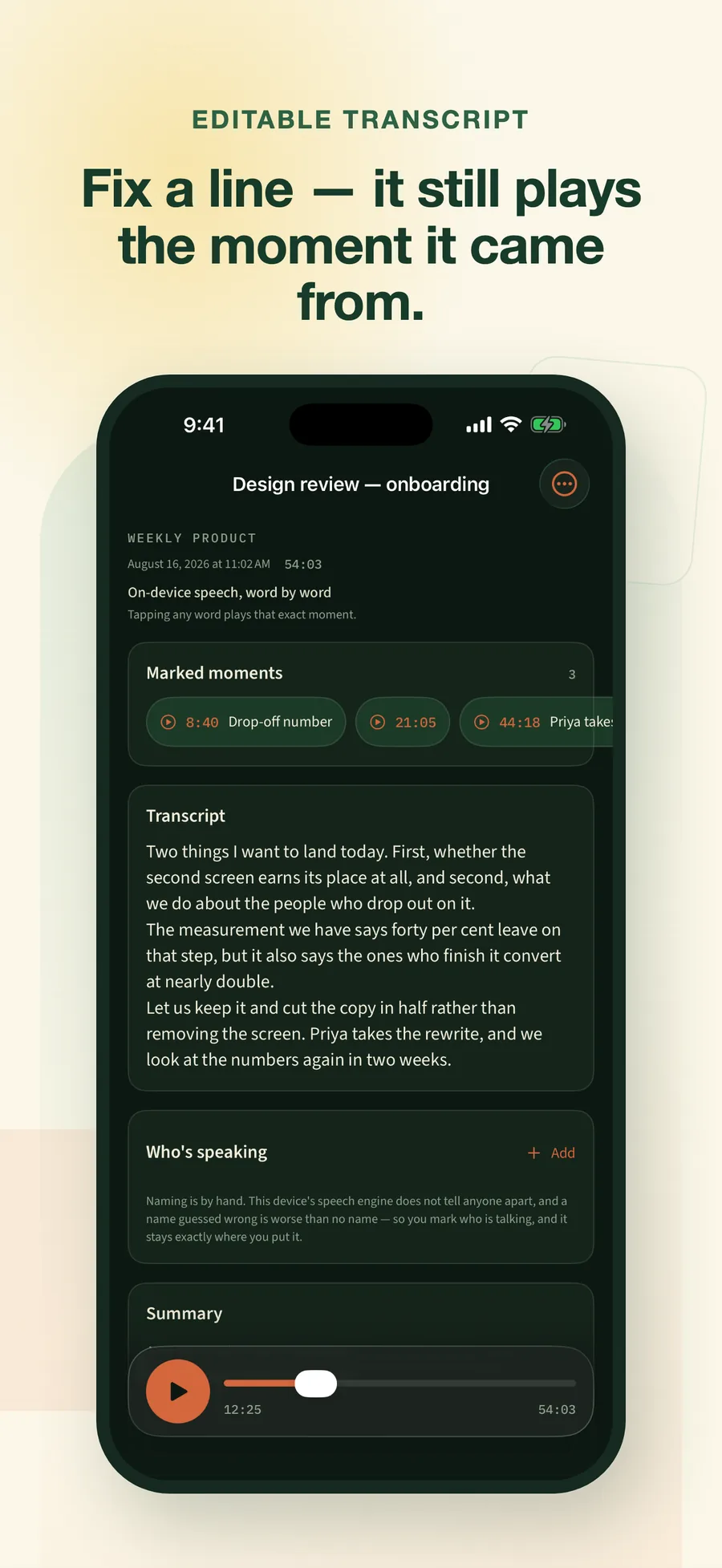
The transcript is treated as a draft rather than a verdict. Speech recognition gets things wrong, so every line is editable, and an edit keeps its link back to the audio: correct a garbled sentence and tapping it still plays the second it came from. That link is what makes an imperfect transcript useful instead of annoying.
Key Features
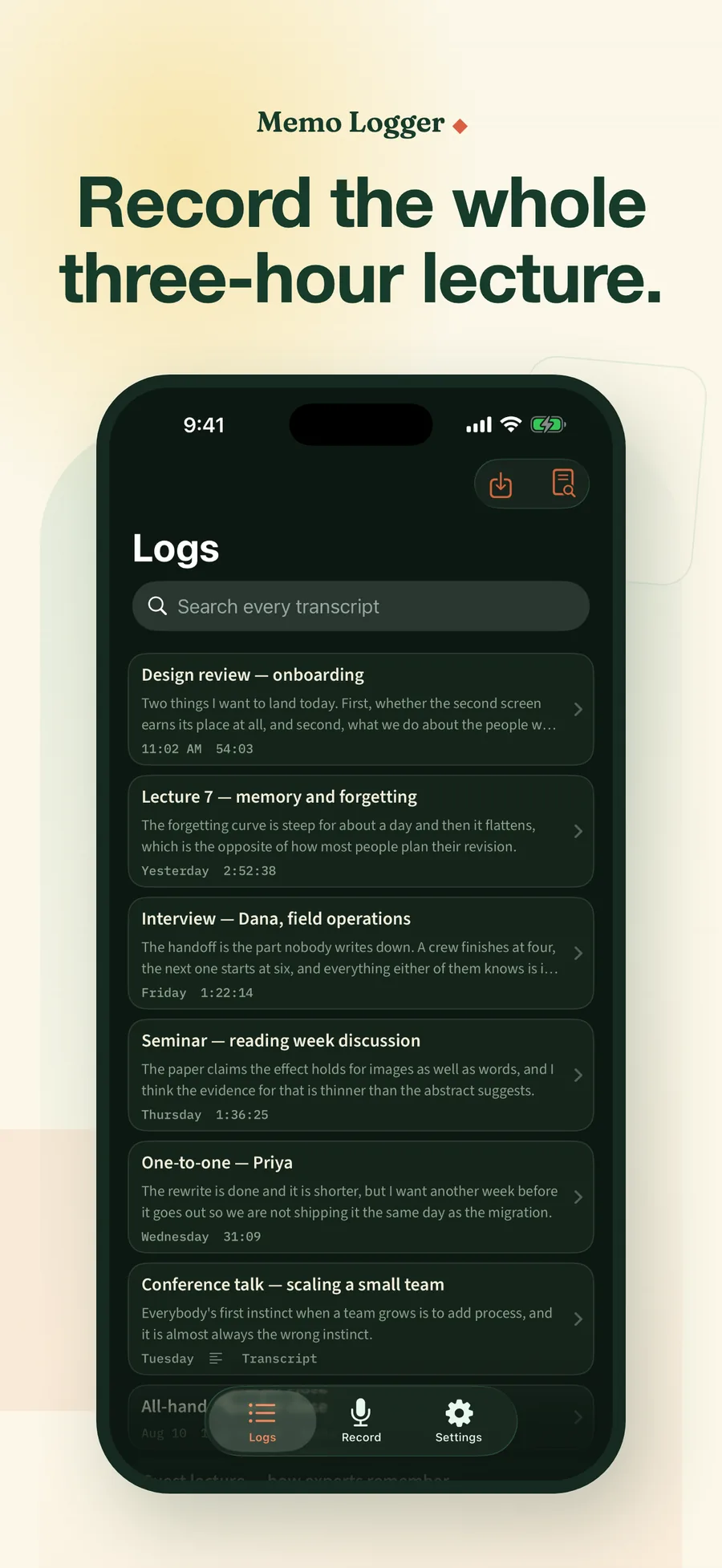
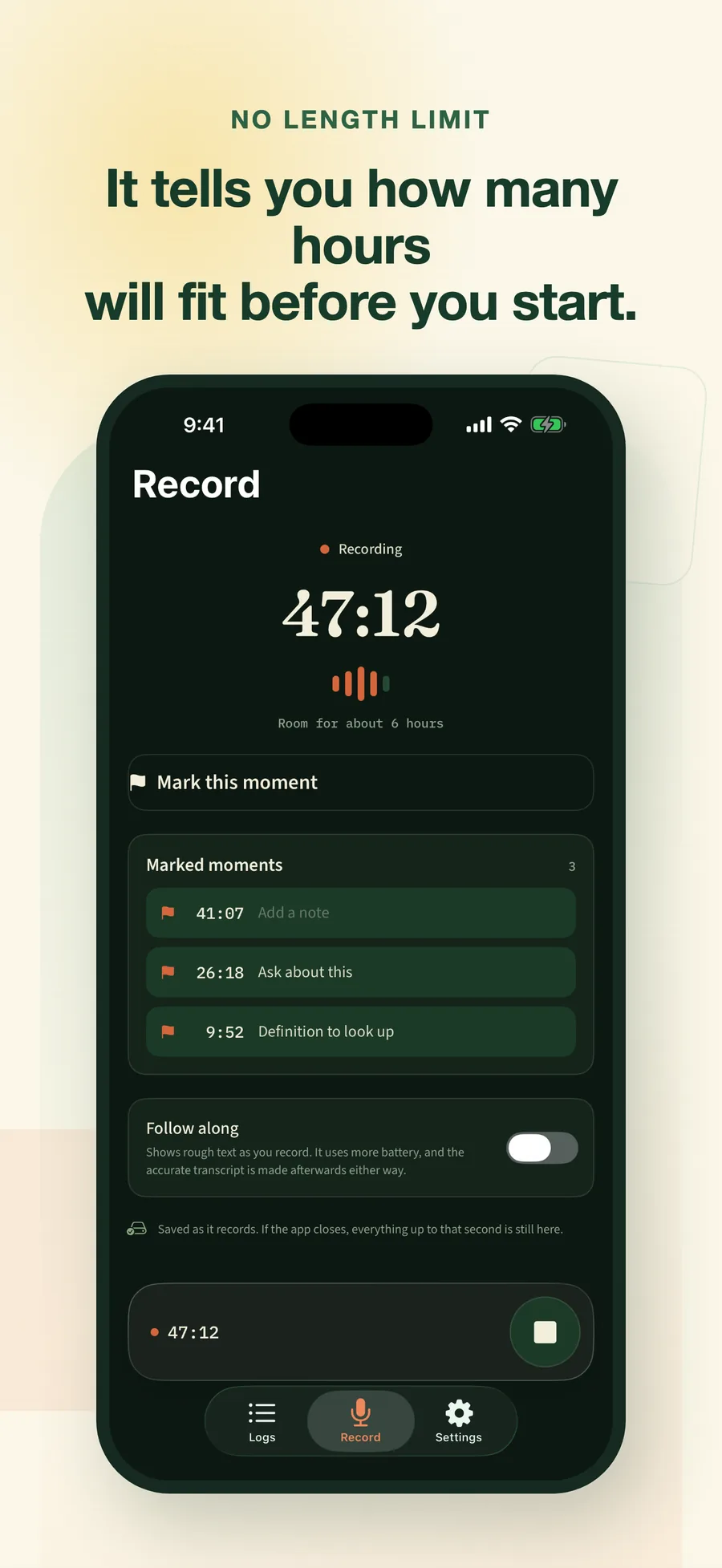
- No length limit. Record a three-hour lecture in one sitting; the app shows how many hours will fit before you start, at roughly 14 MB per hour.
- On-device transcription. Word-level timing, no connection required, nothing uploaded.
- An editable transcript. Fix any line; corrections stay anchored to the audio.
- Import what you already have. Audio and video files to transcribe, or SRT, VTT and plain-text transcripts with their timings.
- Markers and speaker names. One tap flags a moment while it is happening; speakers are named by hand and the name applies everywhere.
- Built for long sessions. The Lock Screen shows recording is still running, a warm device is told about honestly instead of stalling silently, and a recording cut short by a crash is recovered on the next launch.
- Export, never gated. Audio, plain text, SRT/VTT captions, or lossless JSON, with or without a subscription.
What It Deliberately Does Not Do
It does not separate speakers automatically. Apple’s on-device speech engine has no such feature, so shipping one would mean guessing, and a confidently wrong “Speaker 2” is worse than an honest blank.
It does not fetch media from YouTube or any other service. It works with files you already have and text you paste, a boundary written into the code, not just the copy.
Access and Data
Recording, transcription and importing require a monthly or yearly subscription; eligible new subscribers get a 3-day trial, and Apple shows local pricing and terms before purchase. Everything already captured stays readable, playable, searchable and exportable whether or not a subscription is active.
There is no account, no advertising, no analytics, and no tracking. Recordings and transcripts stay on the device. The only network use is Apple’s StoreKit.
Results
Built on StudioMemoKit, the same recording and transcription engine that ships inside Second Brain and Daily Vibe, pointed here at the case those apps were never meant to carry: the three-hour recording.
Common questions
Memo Logger, listed on the App Store as Lecture Recorder & Transcript, is an English-language iPhone and iPad app for recording long talks and turning them into transcripts. It records lectures, meetings and interviews with no per-recording length limit, transcribes them on-device with word-level timing, and produces a transcript the user can edit; corrections keep their link to the audio, so an edited line still plays the moment it came from. It also imports audio and video files, and transcript files in SRT, VTT or plain text. Speakers are labelled by hand rather than detected automatically, because Apple's on-device speech engine offers no speaker separation. Recording, transcription and importing require a subscription (3-day trial for eligible new subscribers, then $4.99 per month or $29.99 per year in the US), while playing, searching and exporting what has already been captured stay open without one. The app works with no internet connection, has no account, and uploads nothing.
How long can one recording be?
There is no limit set by the app. A three-hour lecture is a normal recording: it transcribes in a few minutes and uses about 14 MB of storage per hour of audio. The practical limit is free space on the device, and the app shows how many hours will fit before you start.
Does it work without an internet connection?
Yes, completely. Recording, transcription, editing, search and export all run on the device. The only network use is Apple's StoreKit for plans, purchase and restore.
Does my audio get uploaded anywhere?
No. Recordings and transcripts are stored on the device and are not transmitted to Studio AM. There is no account, no sign-in, and no server of ours involved at any point.
Can I correct mistakes in the transcript?
Yes. The transcript is a draft you can edit, and corrections keep their link to the audio: tapping an edited line still plays the moment it came from. You can also name speakers by hand, and a name you set applies everywhere it appears.
Does it separate speakers automatically?
No. Apple's on-device speech engine has no speaker separation, so the app does not claim to do it. You label speakers yourself, which is accurate because you decide it. A wrong "Speaker 2" is worse than none.
Can I bring in recordings or transcripts I already have?
Yes. Import audio and video files and transcribe them, or import a transcript as SRT, VTT or plain text with its timings preserved. The app never downloads or extracts media from YouTube or any other service. It works only with files you supply or text you paste.
What happens if my subscription ends?
Nothing is taken away. Everything already recorded or imported stays readable, playable, searchable and exportable. Export (audio, plain text, SRT/VTT captions, or lossless JSON) is never behind the subscription. The subscription covers making new recordings, running transcription, and importing.
How much does it cost? Is there a free tier?
There is no free tier. Recording, transcription and importing require a subscription: $4.99 a month or $29.99 a year in the US. Eligible new subscribers get a 3-day trial, and Apple shows eligibility and local terms before purchase.