
Quick Math
Adaptive maths practice for families
Build arithmetic fluency with adaptive practice, times-table progress, eight play modes, and separate local profiles for kids, adults, seniors, and quant prep.

On the App Store this is listed as Quick Math: Times Tables.
The Challenge
Math facts fade without recall practice, but one drill does not fit a child learning multiplication, an adult rebuilding fluency, a senior who wants a calmer pace, and someone preparing for a quantitative exam. Families also need progress that stays separate without creating accounts for everyone.
Our Approach
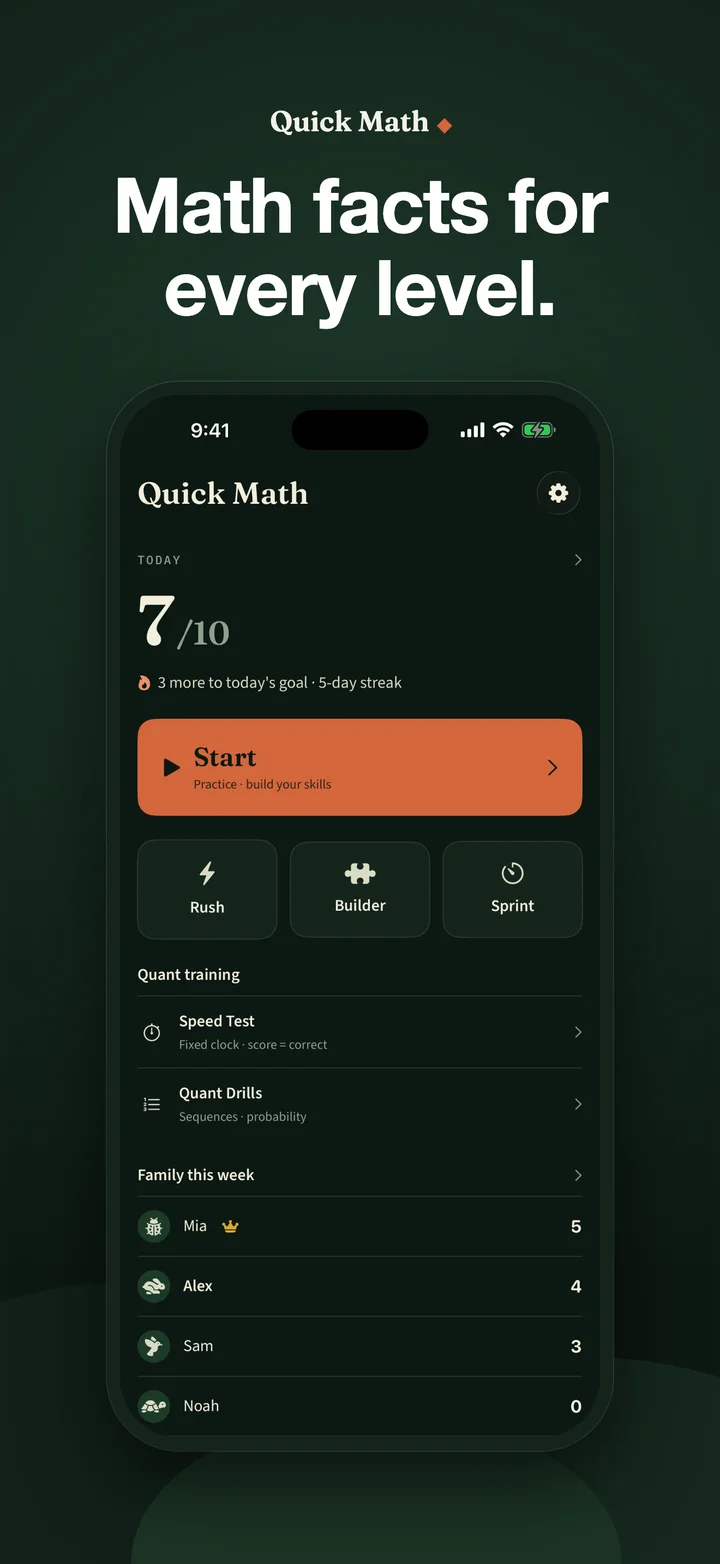
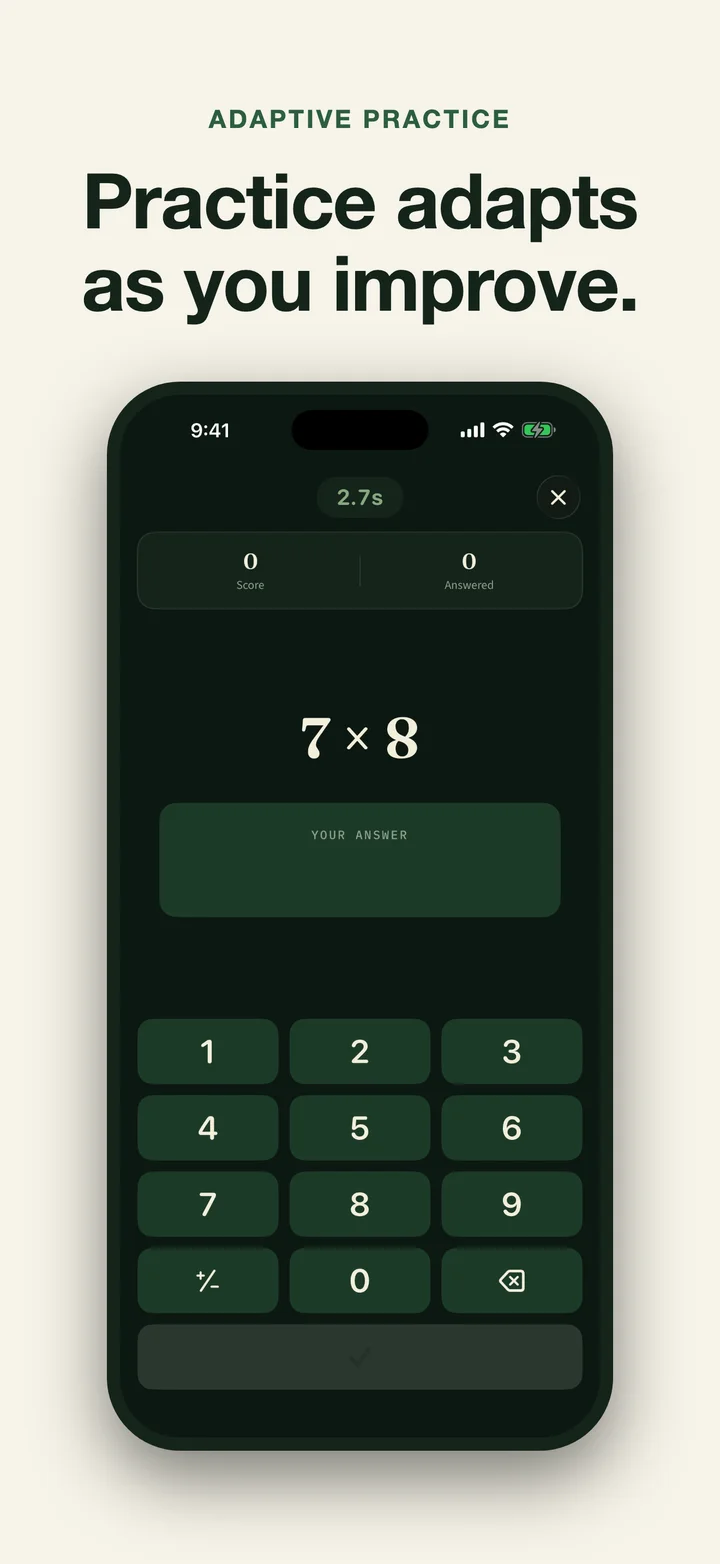
Quick Math uses a profile’s stage and recent accuracy to select operations and difficulty. It combines short adaptive questions with core and extension times-table mastery, 50 matching mental-math strategies, eight practice formats, and a same-device Family Board. Everything is kept in local profiles rather than a Studio AM account.
Want to practise in a browser first? The free 2 to 12 times-tables practice includes a complete chart and an interactive quiz with no signup.
Key Features
- Four local profile types: Kid, Adult, Senior, and Quant Prep use different number ranges, pacing, and presentation while keeping their own progress.
- Seven operation types: Addition, subtraction, multiplication, exact whole-number division, percentages, squares, and square roots.
- Adaptive Practice: Quick Math chooses questions from the selected profile’s stage and recent accuracy. There is no manual operation picker.
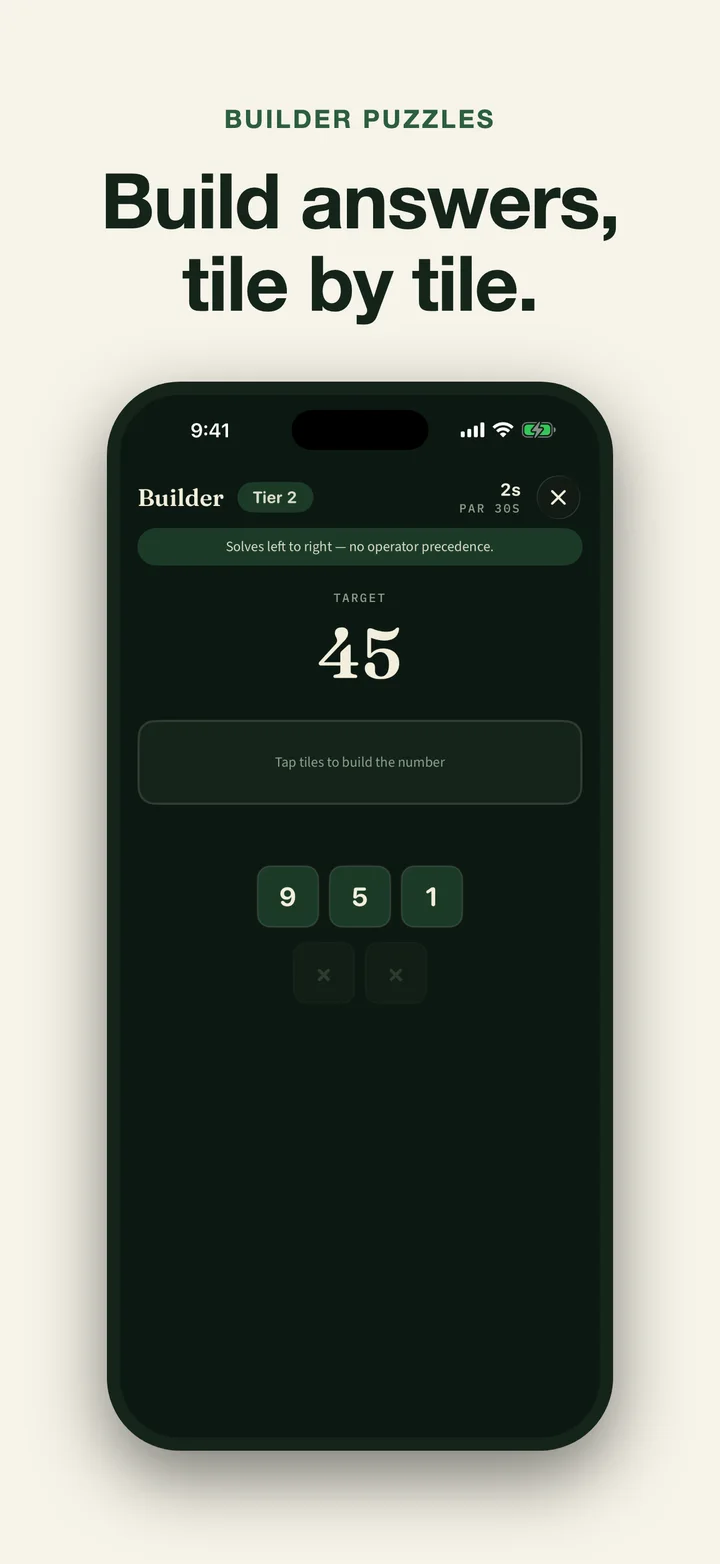
- Eight practice formats: Open-ended Practice, 60-second Rush, expression-building Builder, fixed-question Sprint, fixed-clock Speed Test, sequence-and-probability Quant Drills, timed Hundred Grid boards, and the escalating Gauntlet.
- Core and extension times tables: Guided lessons and the core mastery ladder cover 2 through 12. Higher-stage practice also reaches 13 through 19 and the 25 times table, tracked on a separate extension ladder.
- 50 strategy hints: Supported mistakes or slow answers can reveal a relevant method with a short explanation and worked example.
- Family progress on one device: Daily goals, achievements, weekly standings, operation accuracy, weak spots, and times-table progress stay separate by profile.
- Deterministic weekly note: A fixed local template summarises recent practice facts. It does not use Apple Intelligence, a generative model, or a network service.
- English and Spanish interface: The app interface and instructional content are available in English and Spanish.
Access and Data
Creating the first local profile is an open onboarding step, so a family can choose the right mode before seeing the plans. Starting practice then requires active access; there is no permanent free practice tier. Monthly and annual subscriptions are available, and eligible new subscribers may receive a 3-day trial. StoreKit shows eligibility, the current local price, the billed amount, and renewal terms before purchase. A retired lifetime product is not sold, but verified earlier owners retain access through Restore Purchases.
The data door is not subscription-gated. From the plans screen, inspect the complete currently stored record, export lossless JSON plus a readable plain-text summary, or delete it. Detailed problem history retains the newest 2,000 stored answers; aggregate profile scores and progress are preserved in the same current record.
Quick Math has no Studio AM account, advertising, analytics, tracking, cloud sync, or Studio AM data server. Practice works offline after access is verified. StoreKit needs a connection to Apple for plans, purchase, restore, and entitlement updates; email, support, subscription-management, and App Store links open only when the user chooses them. Optional reminders and the streak widget use local device data.
Results
Quick Math gives families one private place to build arithmetic recall, practise in several formats, and see which facts or operations need another pass.
Common questions
Quick Math, listed on the App Store as Quick Math: Times Tables, is an English and Spanish arithmetic-practice app for iPhone and iPad. It keeps separate local profiles for Kid, Adult, Senior, and Quant Prep practice, with adaptive questions, core and extension times-table mastery, eight practice formats, 50 strategy hints, and a same-device Family Board. Creating the first profile is an open onboarding step, but there is no permanent free practice tier. Monthly and annual subscriptions are available, and eligible new subscribers may receive a 3-day trial. StoreKit shows the current local price, billed amount, eligibility, and renewal terms before purchase. A retired lifetime product is not sold, but verified earlier owners retain access through Restore Purchases. Without active access, families can still inspect every currently stored answer, export lossless JSON plus readable text, or delete the complete current local record.
Is Quick Math free? How much does it cost?
Quick Math is free to download. You can create the first local profile before the subscription screen, but practice has no permanent free tier. Monthly and annual subscriptions are available. Eligible new subscribers may receive a 3-day trial. StoreKit shows eligibility, the current local price, the billed amount, and renewal terms before purchase. One subscription covers every profile on the device.
Which types of maths can I practise?
Quick Math covers addition, subtraction, multiplication, exact whole-number division, percentages, squares, and square roots. It chooses operations and difficulty adaptively; the app does not have a manual operation picker.
How do the practice modes differ?
Practice is an open-ended adaptive session. Rush starts at 60 seconds and adds two seconds for a correct answer. Builder asks you to arrange an expression to reach a target, while Sprint uses a fixed question count. Speed Test measures correct answers in a fixed time. Quant Drills covers sequences, probability, and numerical reasoning. Hundred Grid fills a timed multiplication board, and Gauntlet increases the difficulty inside one run.
Can the whole family use one subscription?
Yes. Kid, Adult, Senior, and Quant Prep profiles keep separate local scores, streaks, goals, and progress. The Family Board compares profiles on the same device; there is no account or cross-device family sync.
What happens to our data if the subscription ends?
The complete currently stored record stays accessible. From the plans screen you can inspect every stored answer, profile, streak, and score; export lossless JSON plus a readable plain-text summary; or delete the record. Detailed problem history retains the newest 2,000 stored answers. Starting new practice still requires active access.
I bought the earlier lifetime unlock. Do I have to subscribe?
No. The retired lifetime product is no longer sold, but verified earlier owners retain Pro. Choose Restore Purchases with the same Apple Account that made the purchase.
Does Quick Math use AI or send practice data to a server?
No AI model is used. The weekly note is assembled from local practice facts with deterministic templates. Quick Math has no Studio AM account, ads, analytics, tracking, cloud sync, or Studio AM data server. Practice works offline after access has been verified; Apple StoreKit and user-chosen external links require a connection.